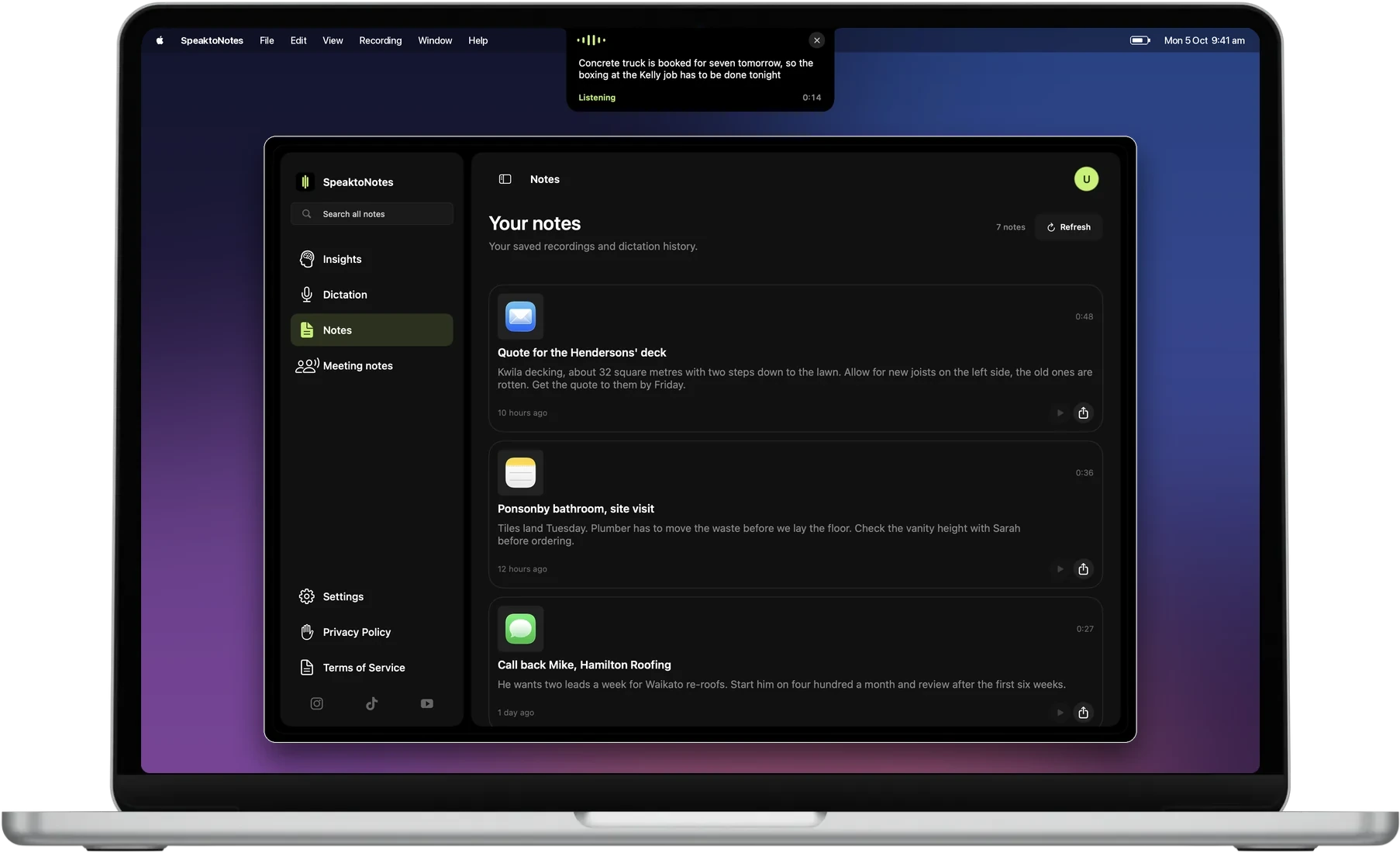
Turn your voice into polished notes

Notes, emails and lists in seconds. Free to start on Mac.

Download See how it works

Works in the apps you already use

  • Gmail
  • Mail
  • Outlook
  • WhatsApp
  • Messages
  • Notes
  • Word
  • Google Meet
  • Calendar
  • Reminders
  • Claude
  • Obsidian
  • Safari

Mobile

Hold, speak, done. Wherever you are.

Learn more
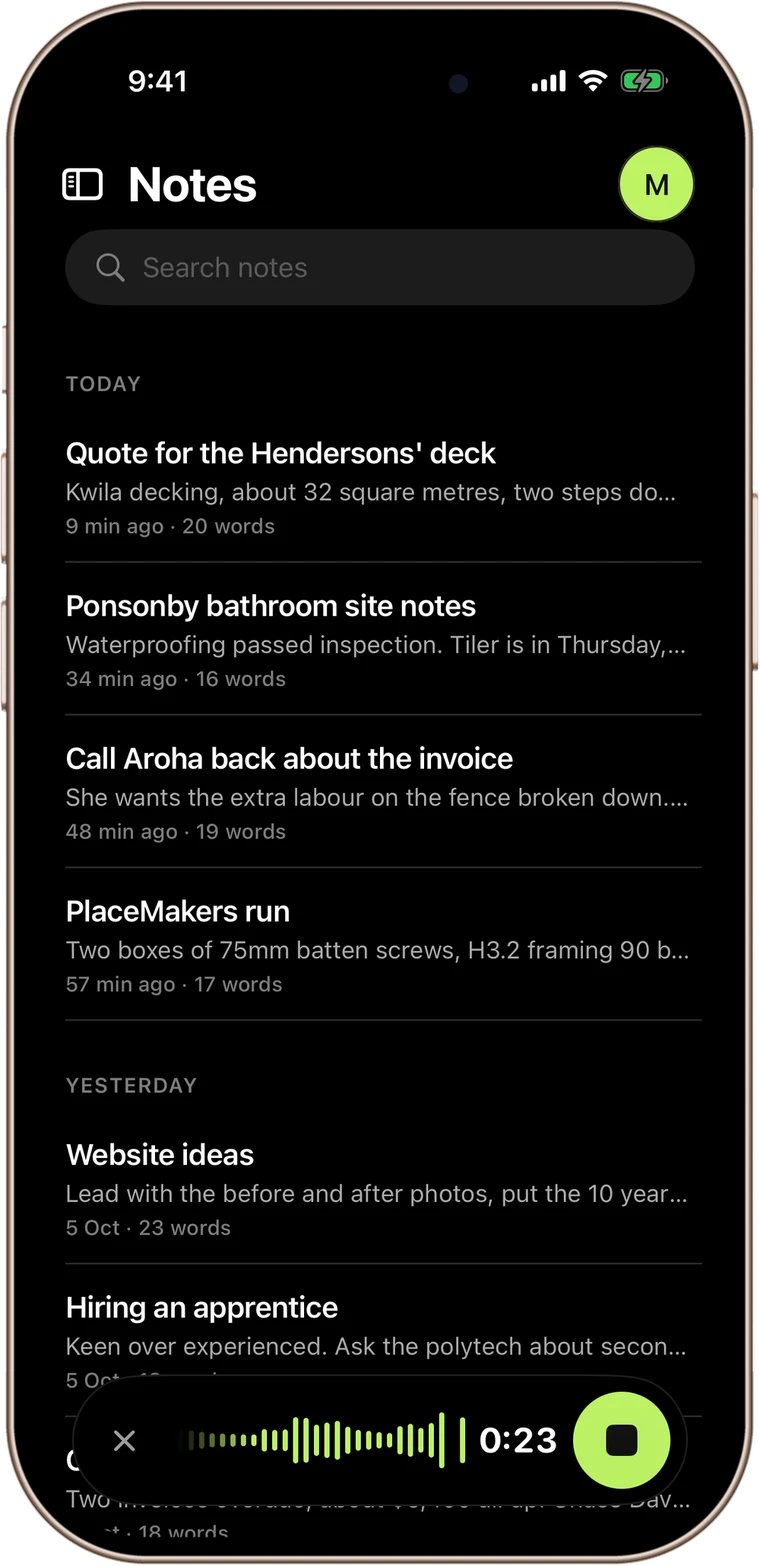
SpeaktoNotes on an iPhone, recording a note over the notes list with the lime waveform pill

People who use it every day.

Property managers, tradies and small teams. Real names, real companies.

“Exceptional product and even better service. Reuben is incredibly passionate about SpeaktoNotes, going above and beyond to ensure a flawless experience. If you are a professional looking to streamline your workflow and save time, I couldn't recommend Reuben highly enough.”

Samuel Penman SO. Property Management
“Great to see a practical product that is designed to make work easier. Reuben was motivated to understand and responded quickly to any questions I had. Happy to recommend this product.”

3 Big Things
Read all reviews

Common questions.

Plans, platforms, what happens to your audio. If it is not here, email us.

What is SpeaktoNotes and how does it work?
SpeaktoNotes is an AI-powered voice-to-text app available on iOS, Android, Mac, and Windows. Just speak, and it transcribes your words using the latest AI transcription technology (7x faster than typing), then enhances the text into polished emails, notes, lists, messages, social posts, or meeting notes using 6 Smart Templates. Professionals plan users can also create their own custom templates. Your account syncs across all devices.
What features are included?
All plans include 6 Smart Templates (Email, Text, List, Note, Social, Meeting), auto-generated titles, action item extraction from meetings, folder organization, full-text search, and one-tap copy to clipboard. Professionals plan users can create custom templates. The iOS version also includes calendar and contact extraction, automatically detecting dates, times, and contacts from your transcriptions.
What platforms does SpeaktoNotes support?
iPhone & iPad (iOS 15+), Android, Mac (native app), and Windows. All platforms are fully featured with the same transcription, Smart Templates, folder organization, and account sync. The iOS version also includes calendar and contact extraction from your transcriptions.
Is my data secure?
Yes. Audio and text are encrypted in transit and at rest. Notes are private and only accessible through your authenticated account. Payments are handled securely via Stripe. Storage is included in your plan (5 GB standard, 10 GB Professionals).

SpeaktoNotes

Open SpeaktoNotes in 3 steps

  1. 1Open SpeaktoNotes.dmg from your Downloads
  2. 2Drag SpeaktoNotes into Applications
  3. 3Open it, then double-tap fn to talk

Download not starting? Try again.

Signed and notarised by Apple. macOS 13 or later.

SpeaktoNotes

Voice to polished notes

Download Free