Download FAQ About
Desktop

Desktop Features

Turn your voice into perfectly written notes, emails, and lists right from your phone. Just talk, and AI does the rest.

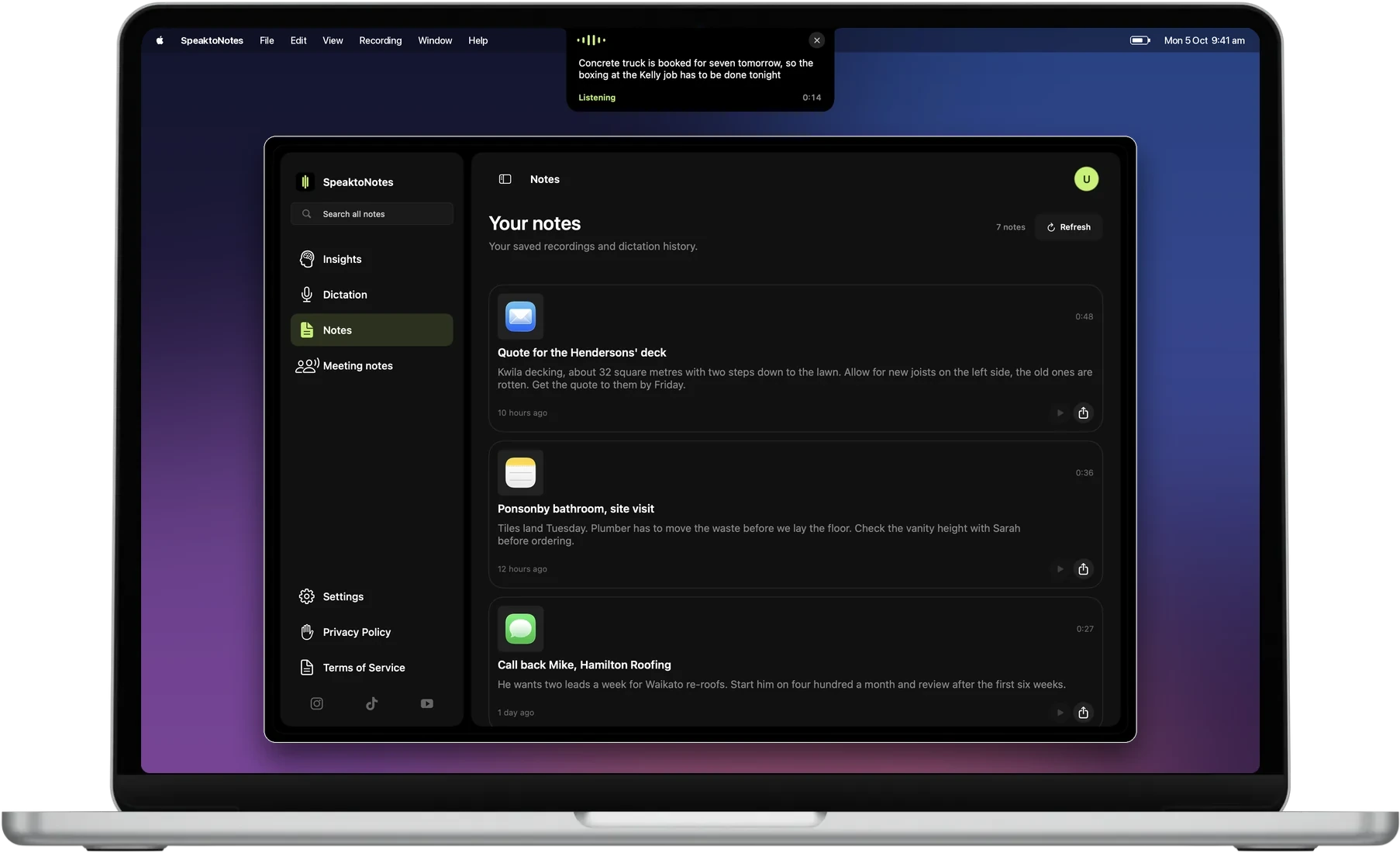
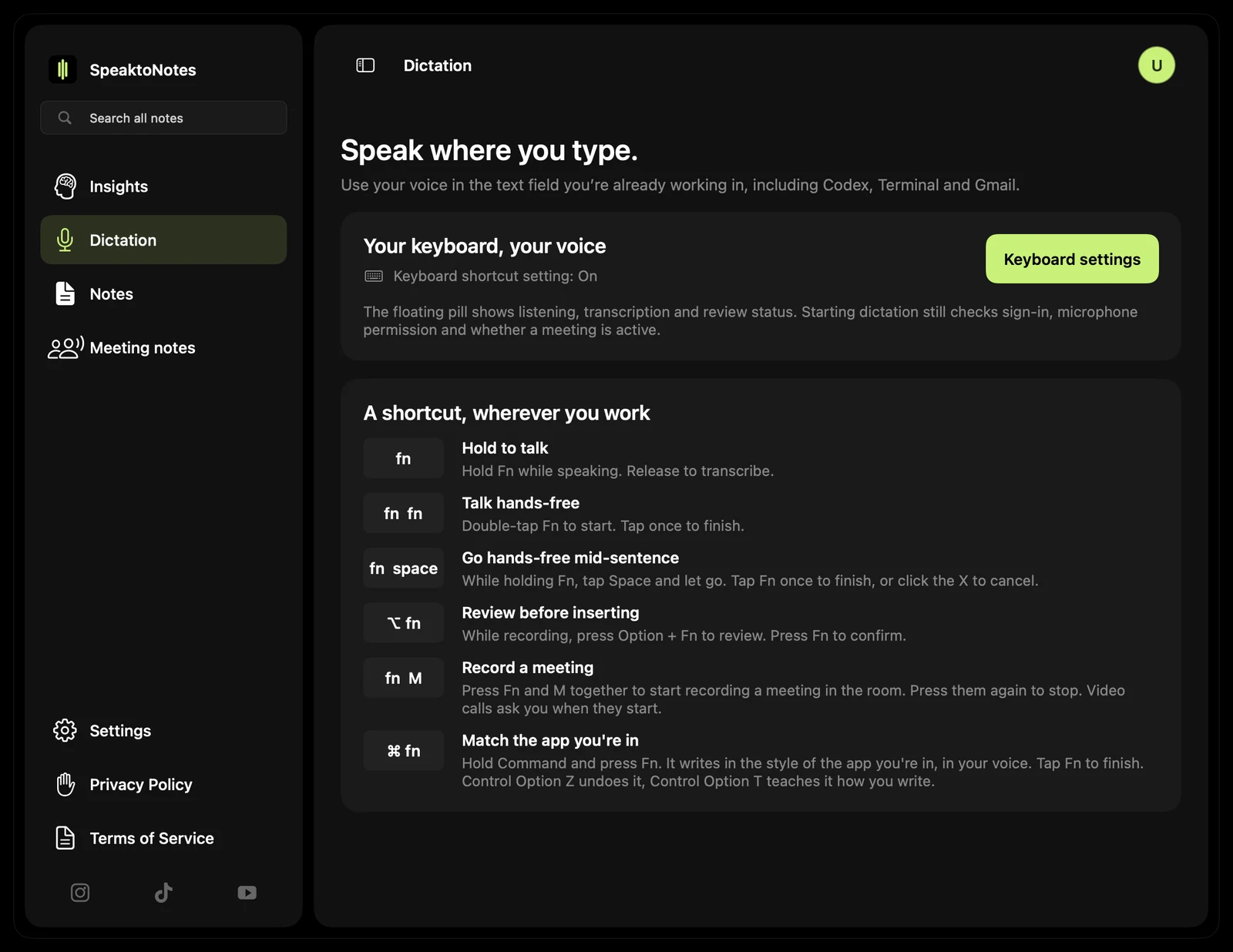
SpeaktoNotes Desktop Interface
Core Engine

AI-Powered Transcription

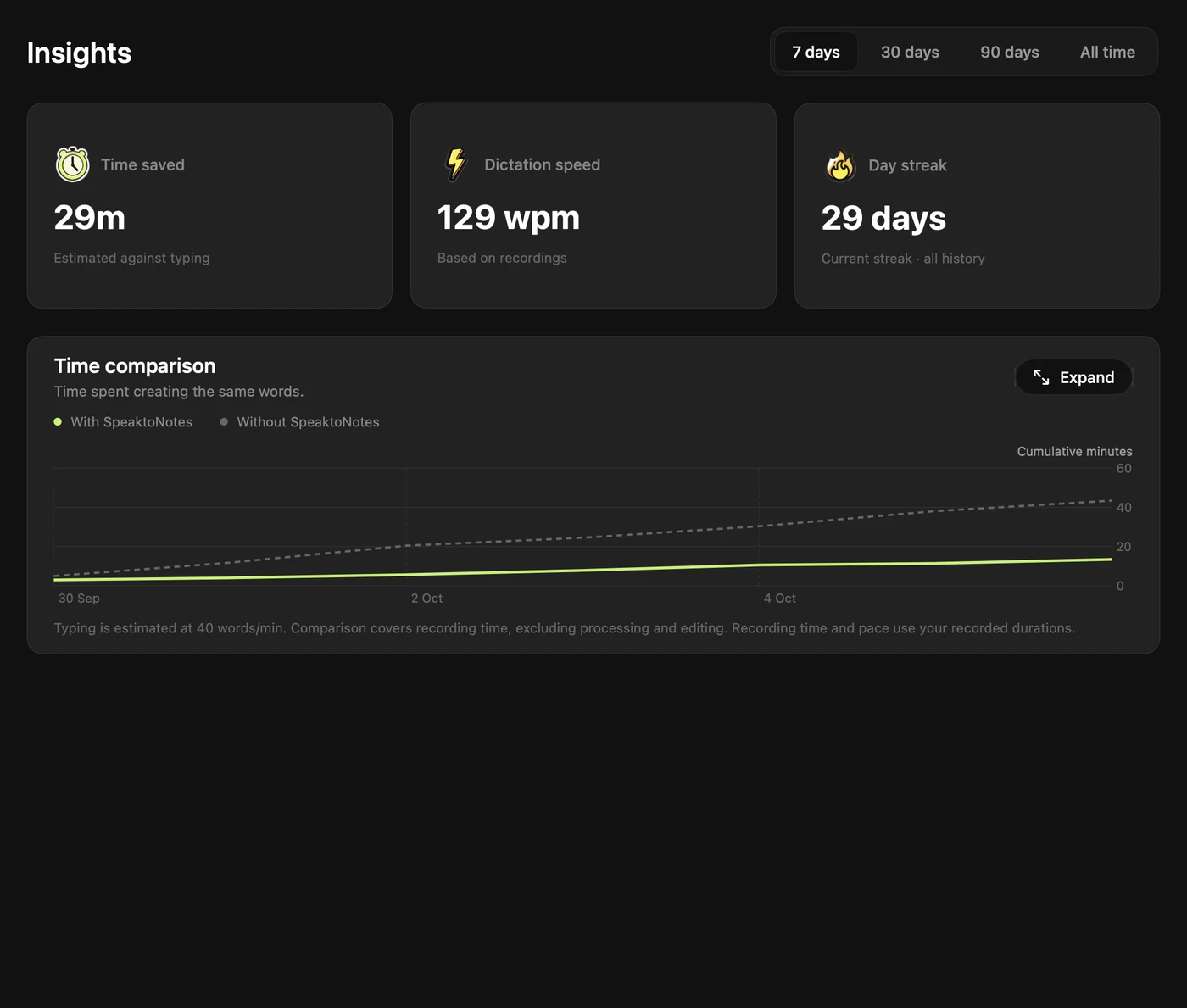
SpeaktoNotes uses the latest AI transcription technology - 10 to 25x faster than standard transcription engines. Speak naturally at any pace, and your words are captured with 99.9% accuracy in real time.

Once transcribed, AI automatically cleans up filler words, fixes grammar, and formats your text into polished, ready-to-use content. No editing required.

0.1s

Latency

99.9%

Accuracy

25x

Faster

Voice Input

"Hey, remind me to call Sarah about the project deadline tomorrow morning..."

AI Enhanced

"Call Sarah tomorrow morning to discuss the project deadline."

Smart Templates

6 AI Workflows

Each Workflow is a purpose-built AI template. Select one before you speak, and your transcription is automatically formatted for that specific use case.

Email

Speak your thoughts, get a professionally formatted email - subject line, greeting, body, and sign-off included.

Text

Quick messages formatted for texting - concise, clear, and ready to paste into iMessage, WhatsApp, or any chat.

List

Ramble your to-dos, get a clean, organised bullet-point list. Perfect for groceries, tasks, or project items.

Note

Freeform voice capture - AI structures your thoughts into well-written paragraphs with proper headings.

Social

Craft social media posts with the right tone and formatting - ready for LinkedIn, Twitter, Instagram, or Facebook.

Meeting

Record meetings and get structured minutes with attendees, discussion points, action items, and deadlines.

Organisation

Folders & Search

Every note is automatically given an AI-generated title so you can find it later. Organise notes into custom folders - by project, client, topic, or however your brain works.

Full-text search lets you find any note instantly, no matter how long ago you recorded it. Your entire voice history, searchable and organised.

Client Meetings 24 notes
Project Alpha 18 notes
Quick Ideas 42 notes
Personal 11 notes
Pro

Pro-Only Features

Unlock the full potential of SpeaktoNotes with advanced tools designed for power users.

Export & Integration

Export your polished notes directly to Notion, Slack, or Email with a single click. Copy formatted text to your clipboard and paste into any desktop app.

Calendar Integration

Create calendar events with your voice. Say "Meeting with Sarah next Tuesday at 2pm" and SpeaktoNotes adds it directly to your calendar.

Custom Workflows

Build your own Workflows from templates. Tailor AI formatting to your exact needs - property reports, client briefs, project updates, or anything else.

Everywhere

One Account. Every Device.

Your notes sync instantly across all your devices. Record on your phone, edit on your Mac, review on your tablet. It all just works.

Mac

Native App

Windows

Windows 10+

Ready to speak smarter?

No lock-in contracts. Cancel anytime.

Get Started